ERPNext Solutions & Customization

ERPNext Implementation & Customization for Connected Business Operations

LEADconcept helps businesses implement and customize ERPNext to connect finance, inventory, sales, purchasing, manufacturing and payments. In a featured project, we analyzed a client’s legacy desktop workflows across multiple locations and implemented an integrated ERPNext solution to support more accurate consolidated reporting. The solution uses Python, JavaScript/Vue.js and MariaDB on the Frappe Framework.
Trusted by operations, finance, and supply-chain leaders modernizing enterprise workflows
ERPNext • live business modules
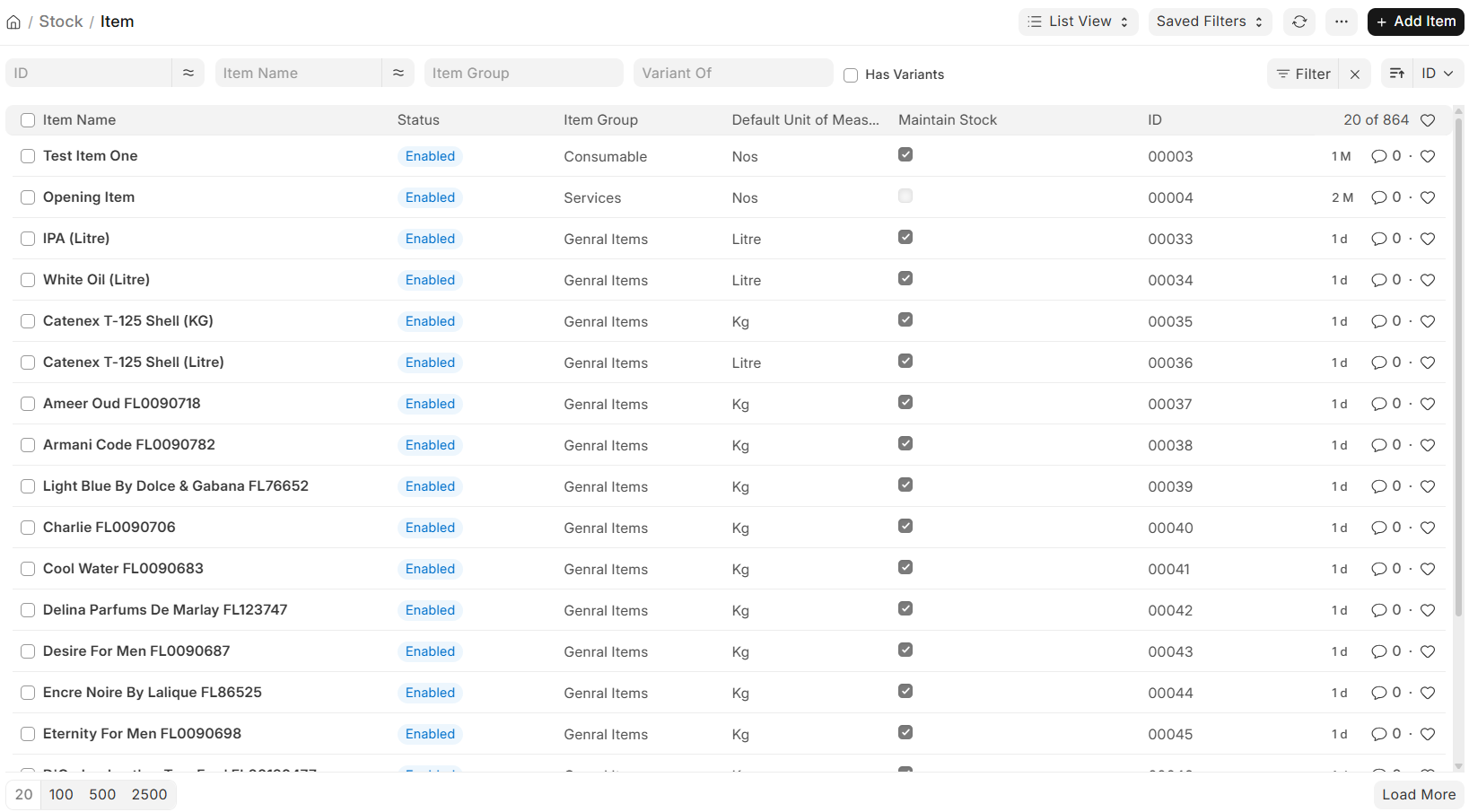
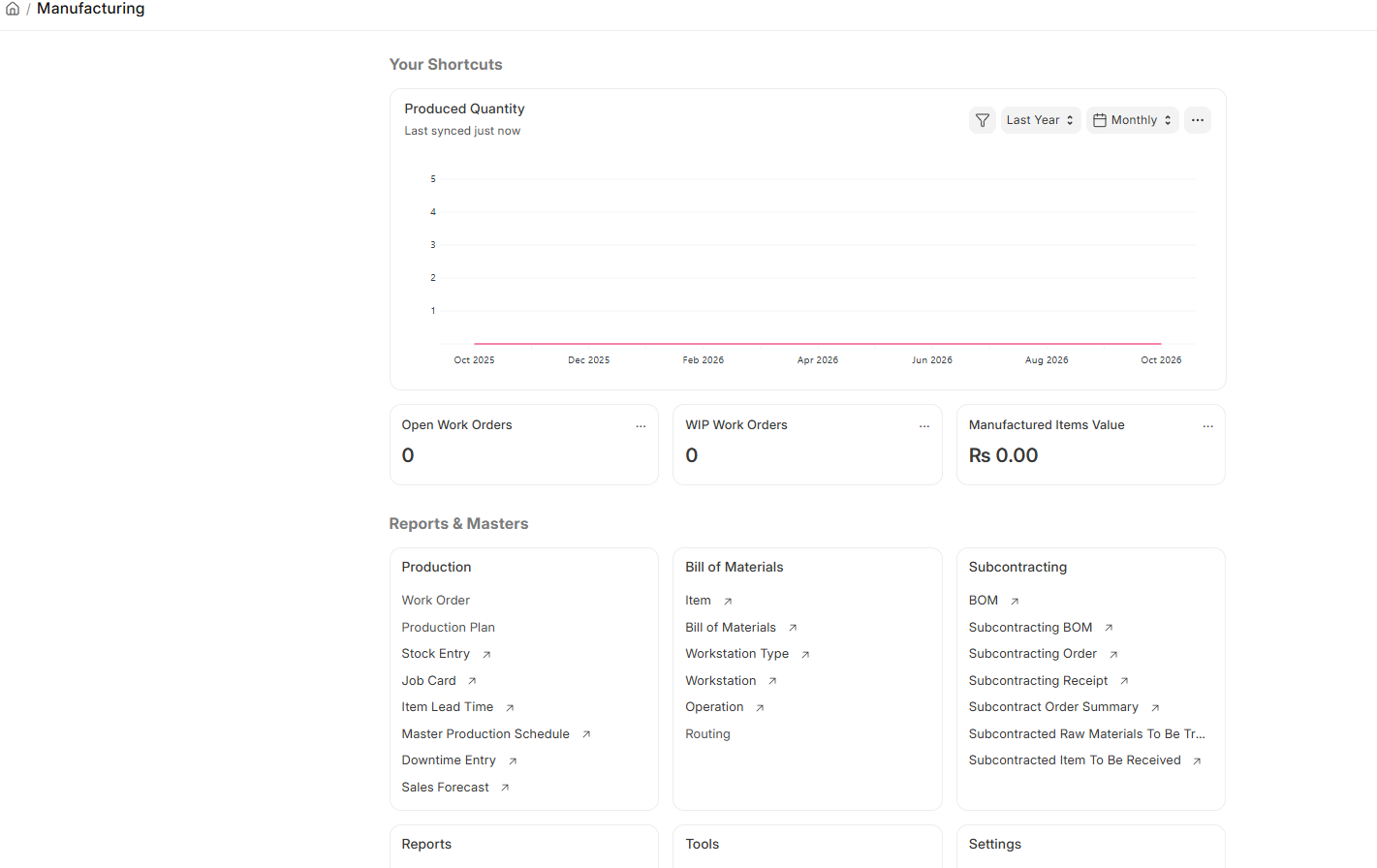
ERPNext overview showing connected business modules ERPNext accounting module dashboard ERPNext financial reports ERPNext stock items and inventory ERPNext production and manufacturing module Modules overview
Open SourceERPNext solution
FrappeFramework
Python + Vue.jsApplication technologies
MariaDBDatabase technology
// Why LEADconcept ERPNext

One connected ERP for finance, stock, sales, purchasing, and payments across locations.

The client’s older desktop application made it difficult to manage multiple locations and warehouses and generate accurate, consolidated reporting. We analyzed the business information flow and implemented ERPNext to connect these operations.

SOLUTION TECHNOLOGY

Python, JavaScript & Vue.js

The implemented open-source ERP solution uses Python and JavaScript/Vue.js, runs on the Frappe Framework, and uses MariaDB.

CLIENT REQUIREMENT

Multiple Locations & Warehouses

Bring finance, stock, sales, purchasing, and payments together for a business operating across multiple locations and warehouses.

PROJECT OBJECTIVE

Integrated, Consolidated Reporting

ERPNext was implemented to address the client’s difficulty generating accurate consolidated reports across the business cycle.

// What we build

ERPNext Implementation Services, Configuration & Customization

Plan your ERPNext rollout around real business processes—from module configuration and workflow customization to legacy data migration, deployment and team onboarding.

01

Financial & General Ledger Accounting

Complete multi-company accounting, structured chart of accounts, automated journal entries, and real-time financial reporting.

  • Chart of Accounts setup (Assets, Liabilities, Equity)
  • Automated Invoicing, Payment Entry & Banking
  • Real-time Balance Sheet & Profit/Loss Statements
02

Stock & Multi-Warehouse Management

Automate live inventory tracking across warehouses, automated stock levels, and barcode workflows.

  • Item master setup with UOMs & variants
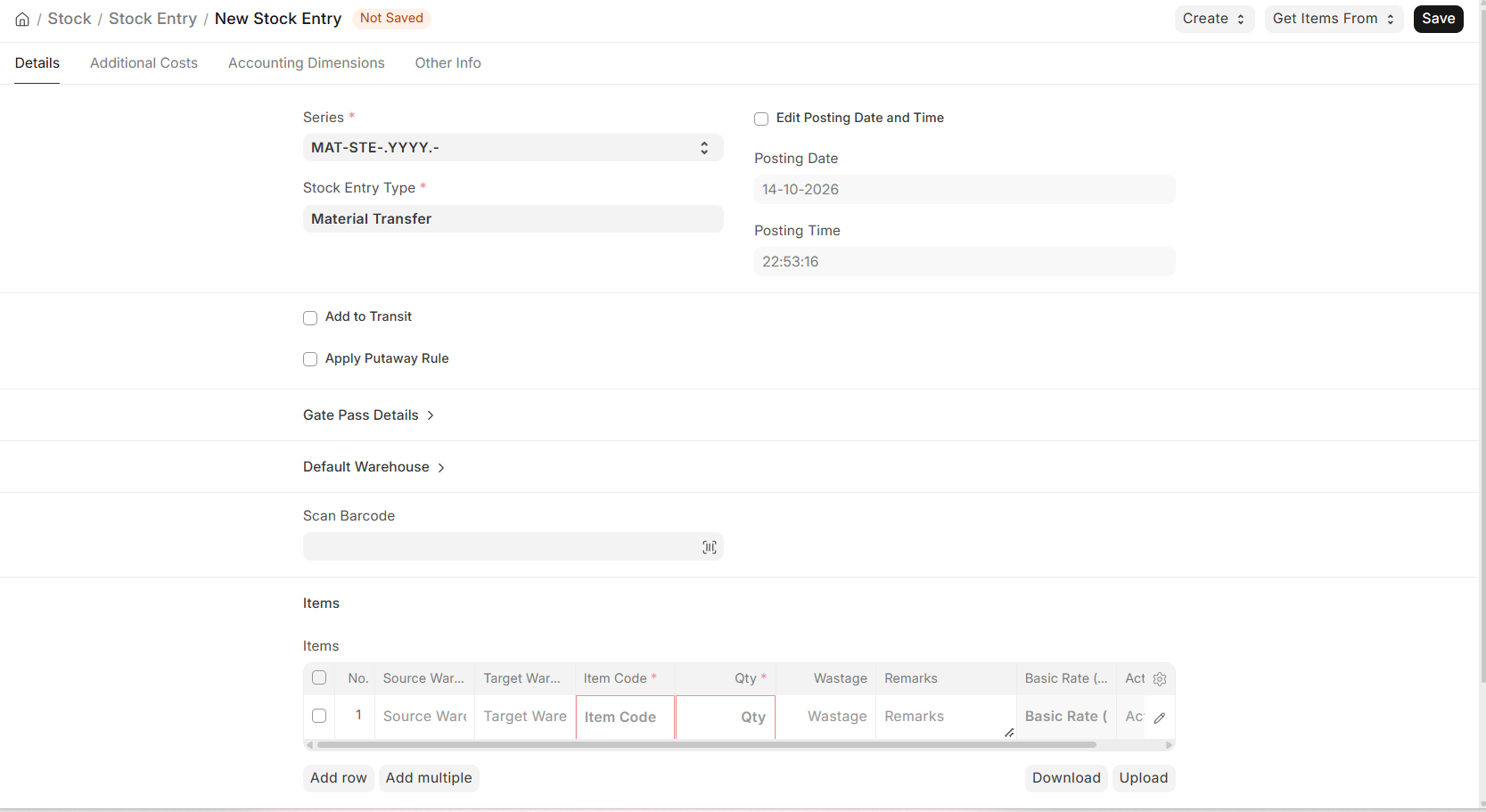
  • Material transfer entries & automated gate passes
  • Serial number & batch tracking with stock valuation
03

Procurement & Buying Cycle

Control procurement from requisition to invoice reconciliation with transparent supplier terms.

  • Material requests & purchase order workflows
  • Automated Purchase Invoice & Goods Received Note (GRN)
  • Supplier quotations & price-rule automation
04

Sales, POS & Manufacturing (BOM)

Full cycle selling pipeline connected directly to production schedules, job cards, and bill of materials.

  • Sales Orders, quotation pipeline, and Point of Sale (POS)
  • Multi-level Bill of Materials (BOM) & Workstation routing
  • Production planning, work orders & subcontracting
// How we work

Five stages, zero workflow interruption.

A structured enterprise implementation methodology that ensures complete data integrity and smooth team adoption.

01

Audit

Map existing legacy systems, data structures, and warehouses.

Week 1
02

Blueprint

Chart of Accounts, Doctype schemas, and workflow approval design.

Week 2
03

Customize

Frappe app customization, Python server hooks & UI forms.

Week 3–5
04

Migrate

Cleanse and import historical records, customer balances, and stock items.

Week 6
05

Deploy

Go-live rollout, staff training, and ongoing server monitoring.

Ongoing
// Frequently asked questions

ERPNext Implementation FAQs

Answers to common questions businesses ask when planning an ERPNext project.

What does ERPNext implementation include?

Implementation can include business-process review, module configuration, workflow setup, data migration, testing, deployment and user training. The exact scope depends on your operational requirements.

Can ERPNext be customized for our business?

Yes. ERPNext can be configured and extended to support business-specific workflows, fields, forms, reports and integrations. The required changes should be defined during requirements analysis.

Can we migrate from legacy software to ERPNext?

A migration project can assess existing records, map data fields, clean and validate information, and plan the import into the relevant ERPNext modules. Migration scope depends on the source system and data quality.

Which business areas can ERPNext connect?

ERPNext includes modules for areas such as accounting, stock, buying, selling, manufacturing, projects and human resources. The modules selected should reflect how your business operates.

How do we start an ERPNext project with LEADconcept?

Start with a discovery discussion about your current systems, workflows, locations, data and goals. LEADconcept can then assess the requirements and outline a suitable implementation approach.

// Client Requirement

The client used an older desktop application to manage finance, stock, sales, purchasing, and payments for multiple locations and warehouses. The existing system made accurate, consolidated business reporting difficult.

LEADconcept analyzed the requirements and information flow, then implemented ERPNext using the Frappe Framework.

5 areasFinance, stock, sales, purchasing, and payments
Multi-siteMultiple locations and warehouses
ERPNextOpen-source ERP on Frappe Framework
TechnologyPython, JavaScript/Vue.js, and MariaDB
// Selected implementation

ERPNext Implementation Portfolio & Modules

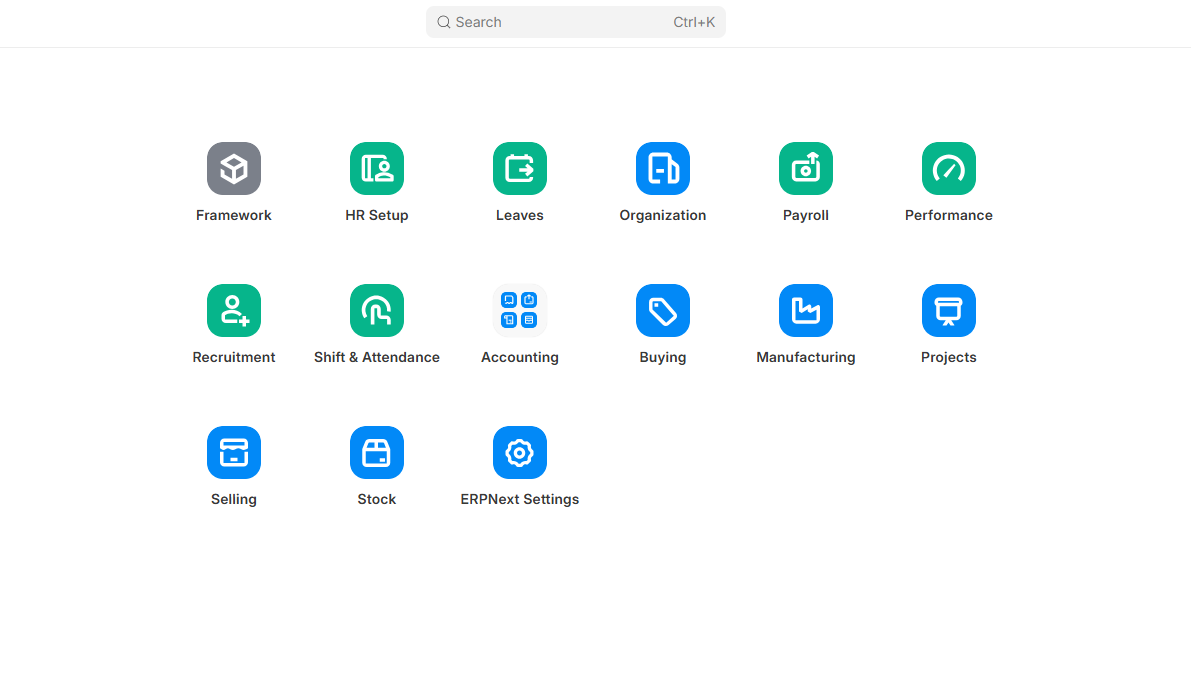
The project covered Framework, HR Setup, Leaves, Organization, Payroll, Performance, Recruitment, Shift & Attendance, Accounting, Buying, Manufacturing, Projects, Selling, Stock, and ERPNext Settings.

Showing screenshots 1–3 of 14

ERPNext implemented modules listModules

ERPNext Modules

Overview of the modules included in the implemented ERPNext solution.

View Full Screen
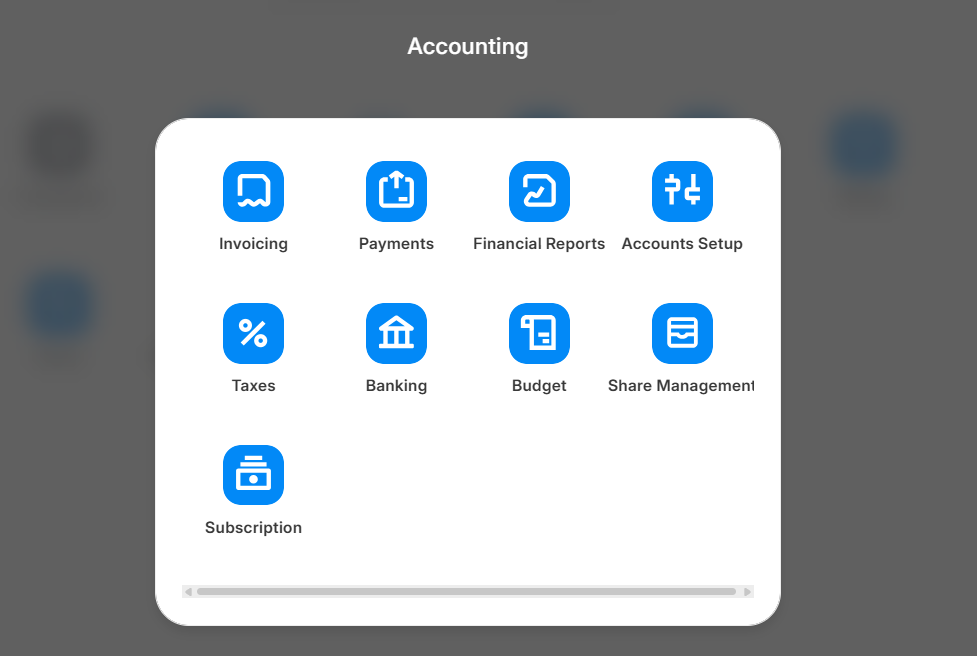
ERPNext accounting moduleAccounting

Accounting Module

Accounting workspace from the ERPNext implementation.

View Full Screen
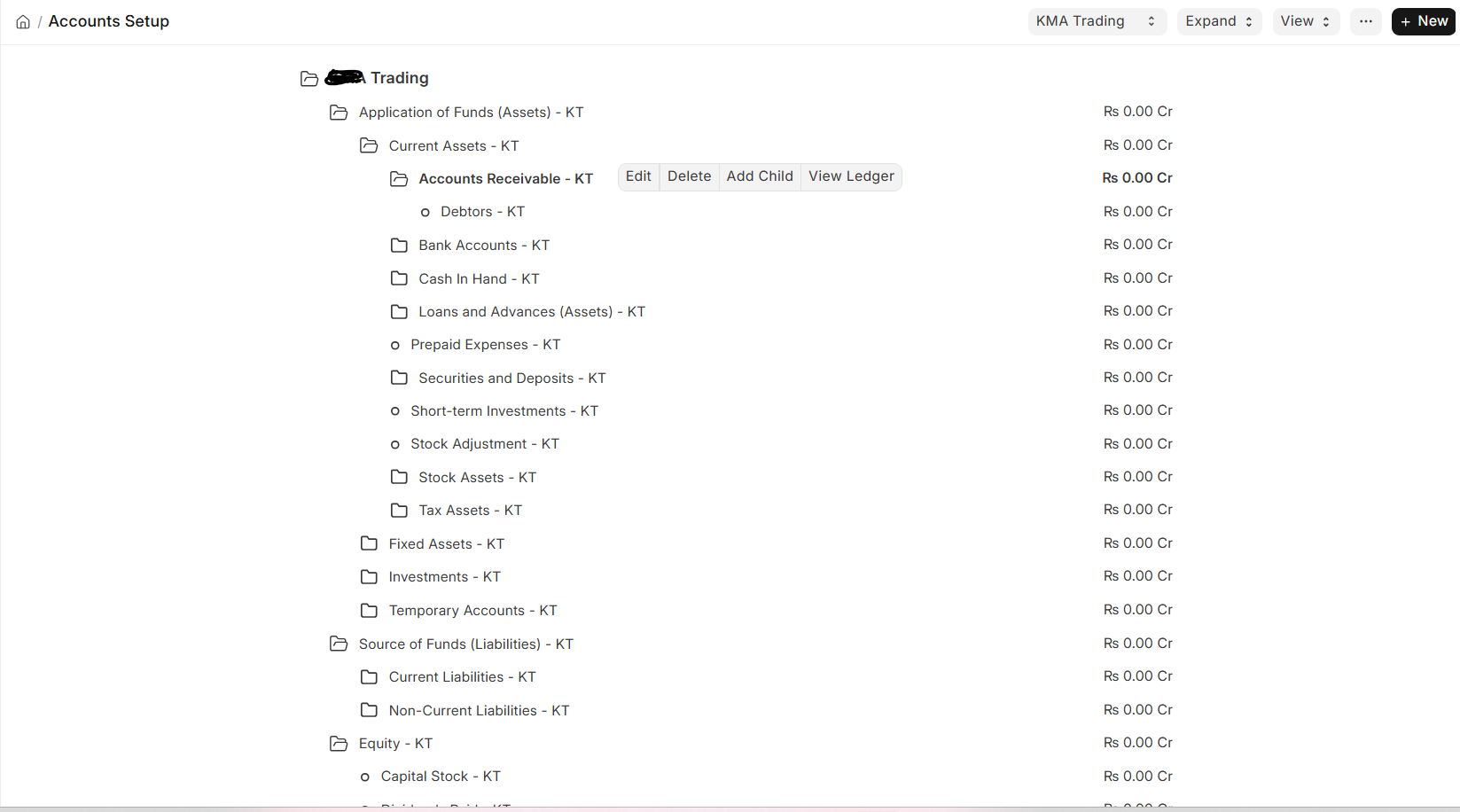
ERPNext chart of accountsAccounts

Chart of Accounts

Chart of accounts configured for the implemented ERPNext solution.

View Full Screen
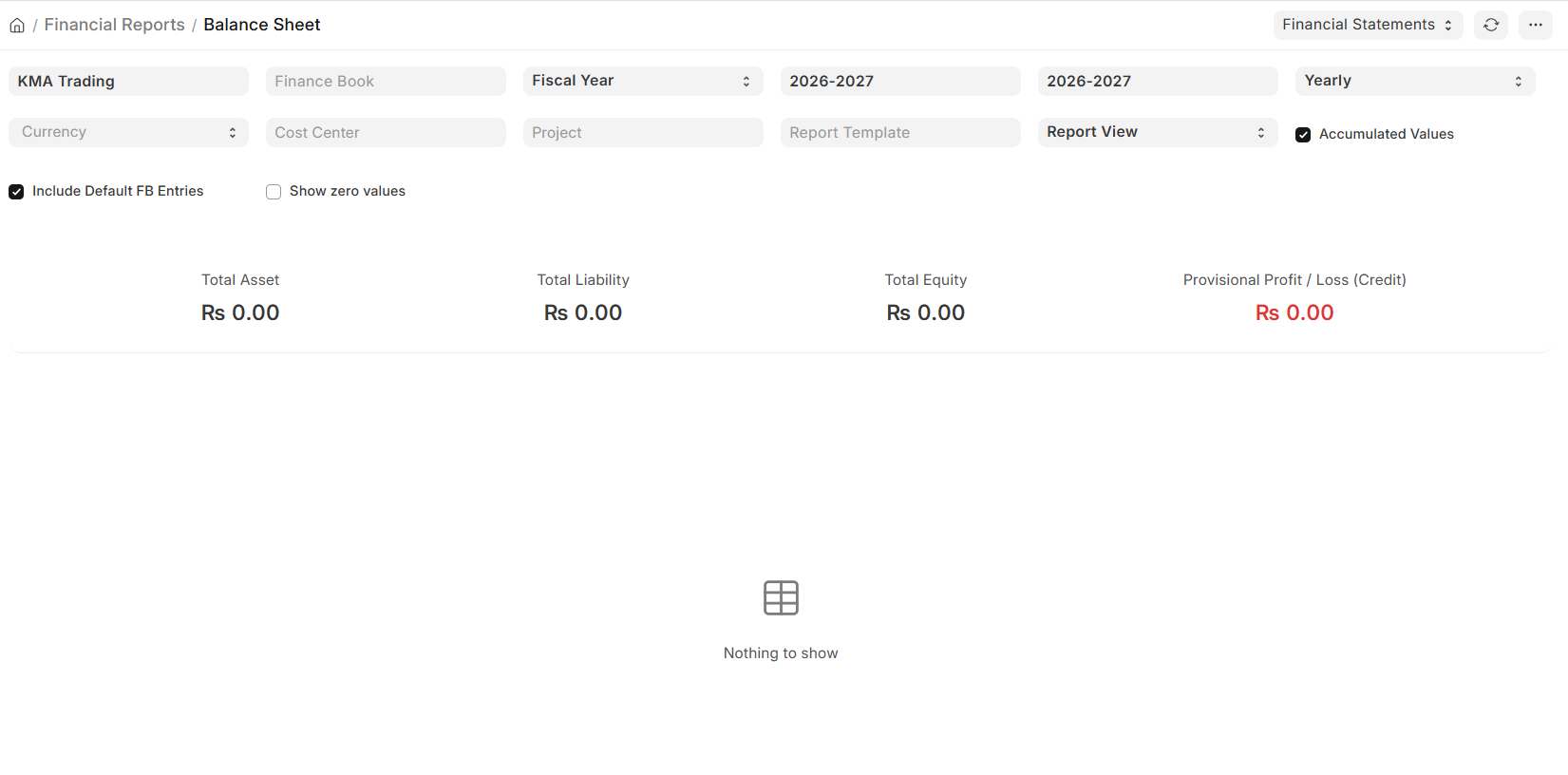
ERPNext financial reportsReports

Financial Reports

Financial reporting screens from the ERPNext implementation.

View Full Screen
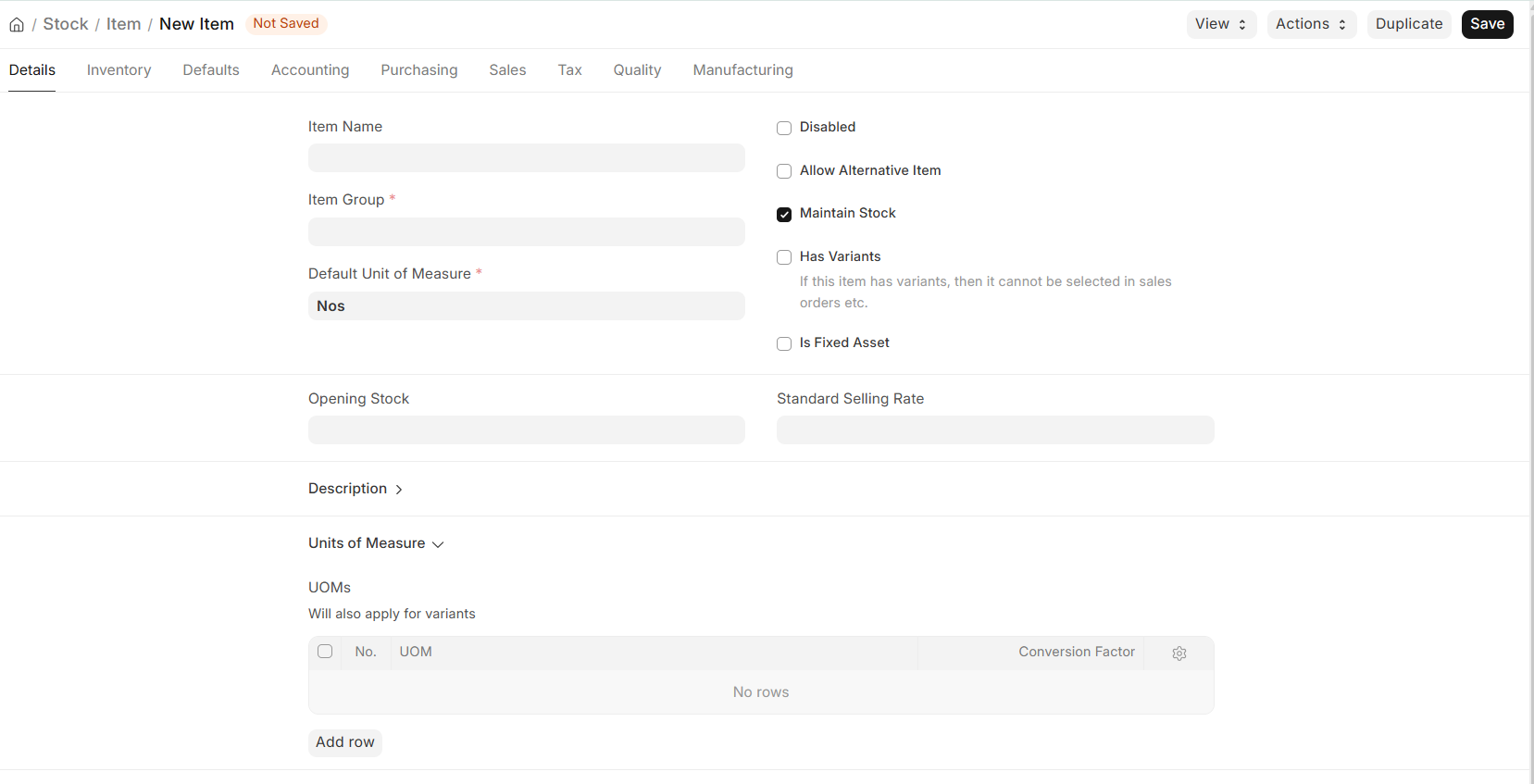
ERPNext new item creation formStock

New Item Creation

New item creation screen from the stock module.

View Full Screen
ERPNext stock transferStock

Stock Transfer

Stock transfer screen from the ERPNext implementation.

View Full Screen
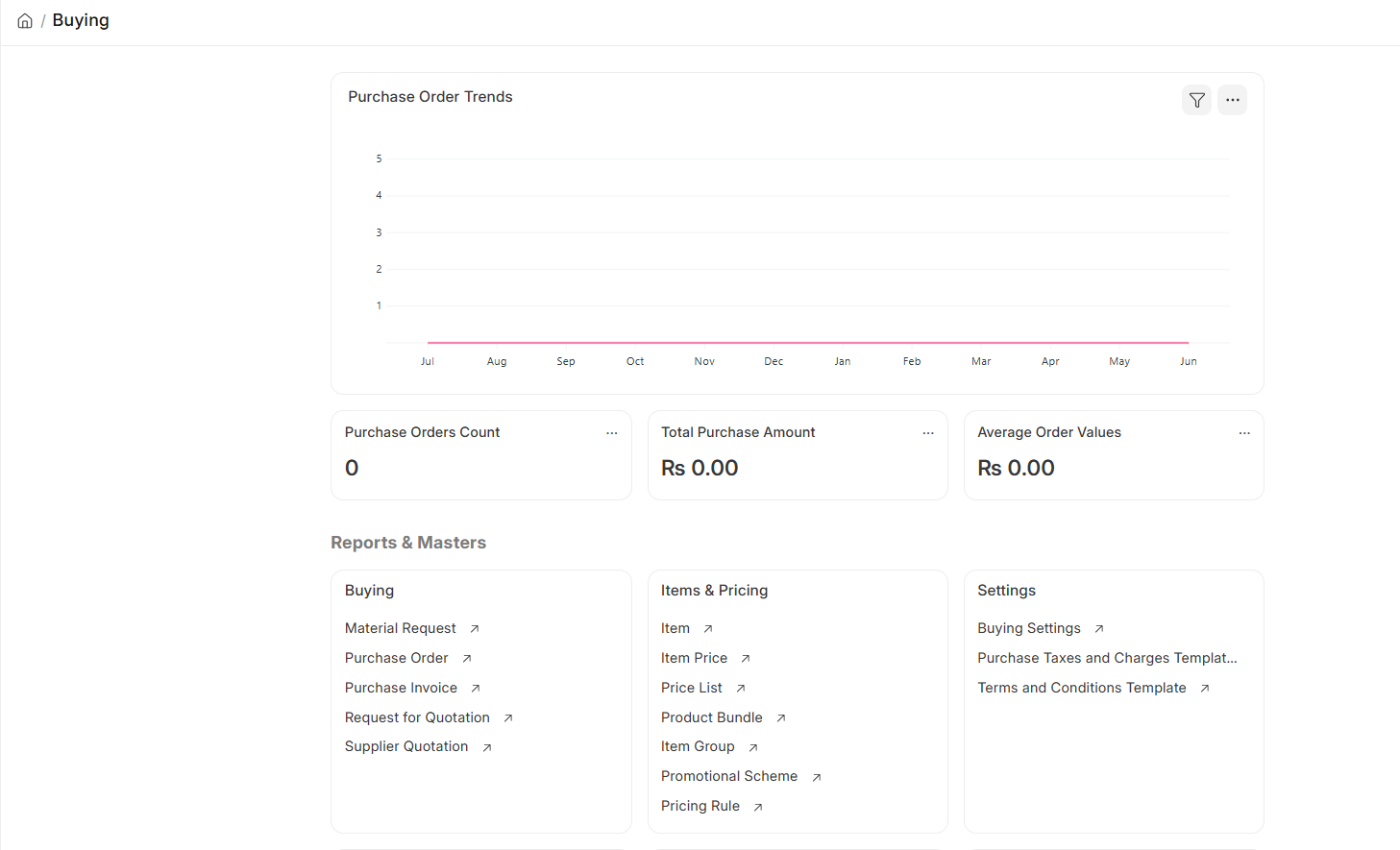
ERPNext purchase modulePurchasing

Purchase Module

Purchasing module workspace from the ERPNext implementation.

View Full Screen
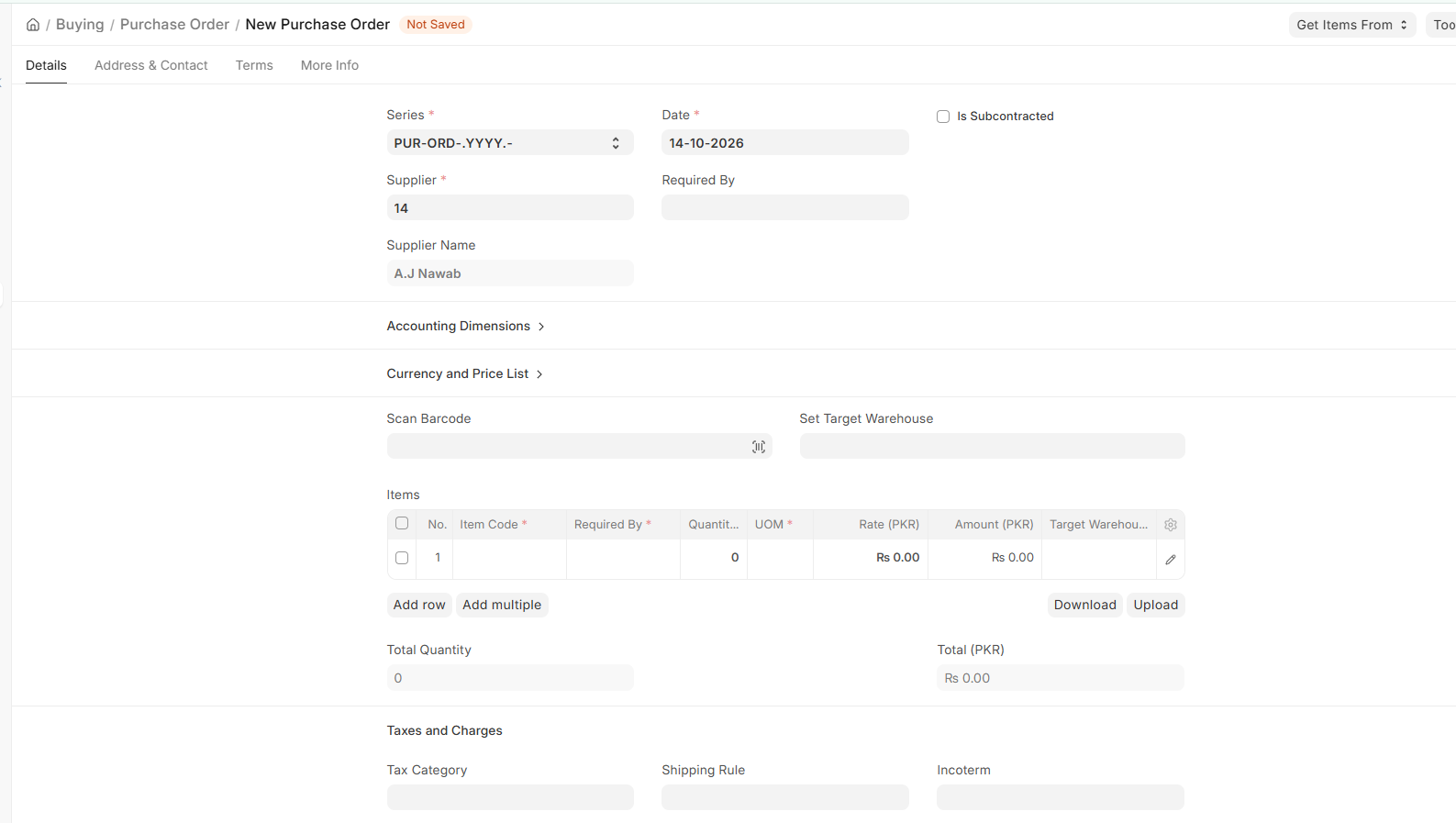
ERPNext purchase orderPurchasing

Purchase Order

Purchase order screen from the ERPNext implementation.

View Full Screen
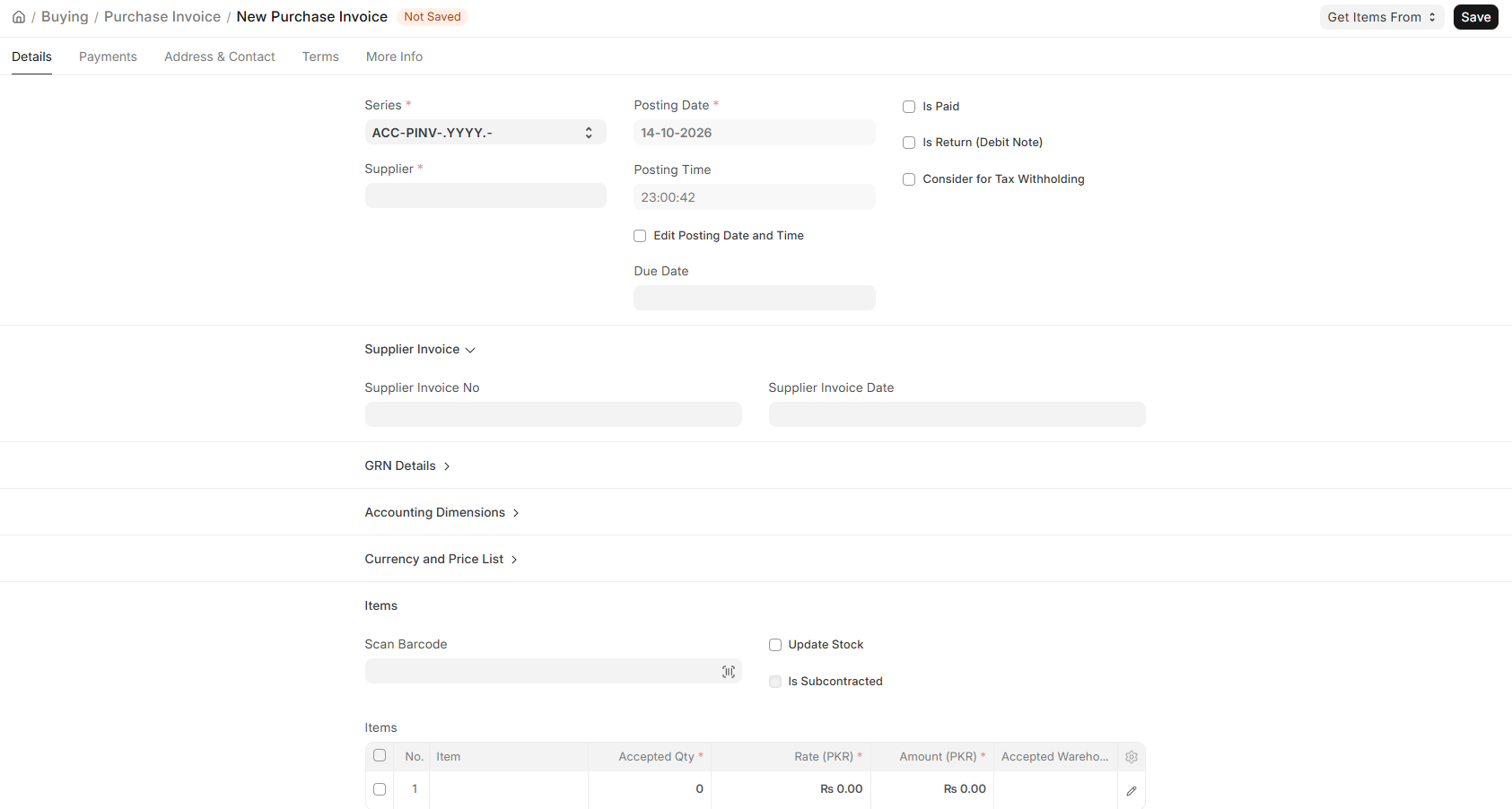
ERPNext purchase invoicePurchasing

Purchase Invoice

Purchase invoice screen from the ERPNext implementation.

View Full Screen
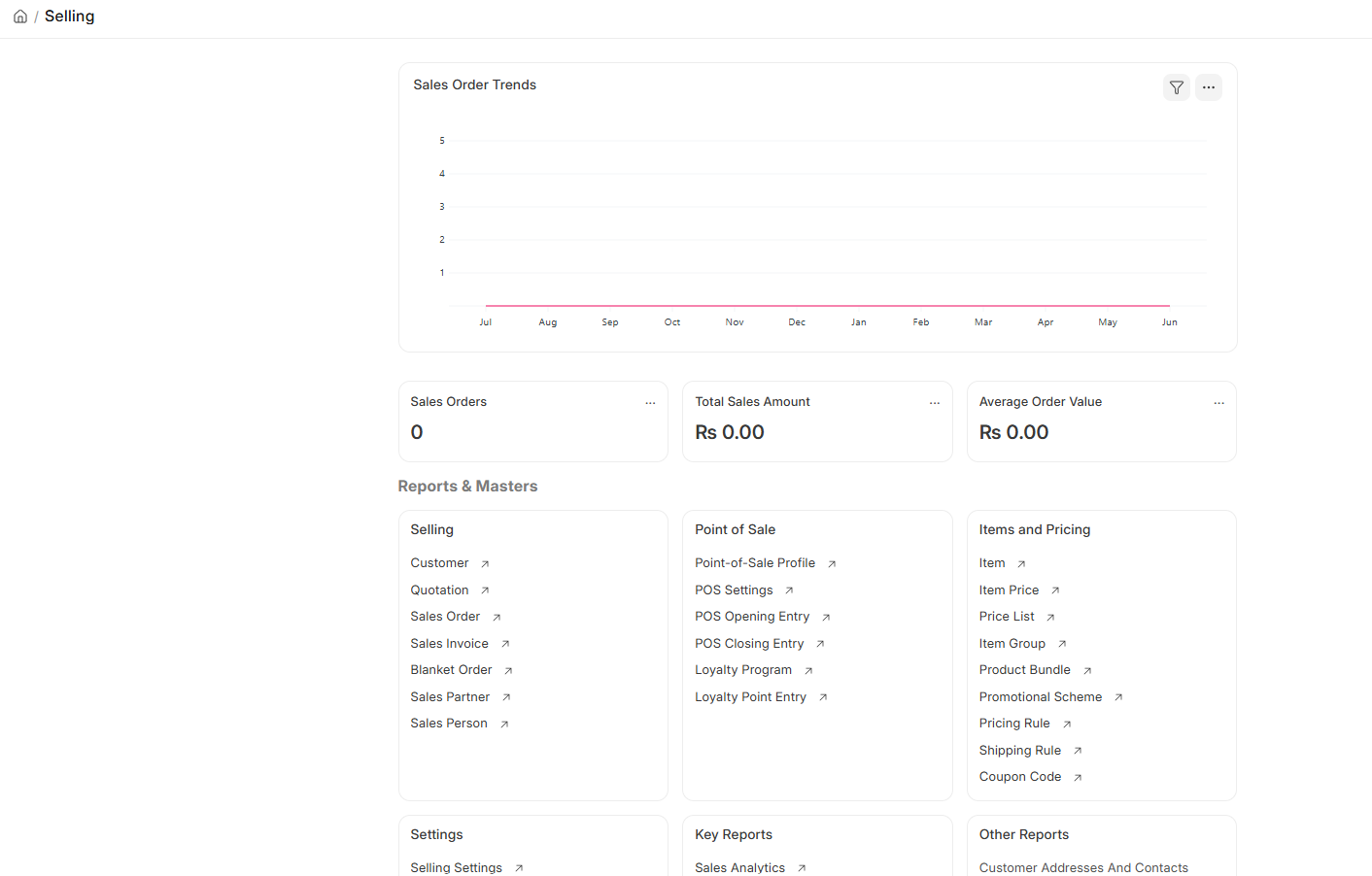
ERPNext sales moduleSales

Sales Module

Sales module workspace from the ERPNext implementation.

View Full Screen
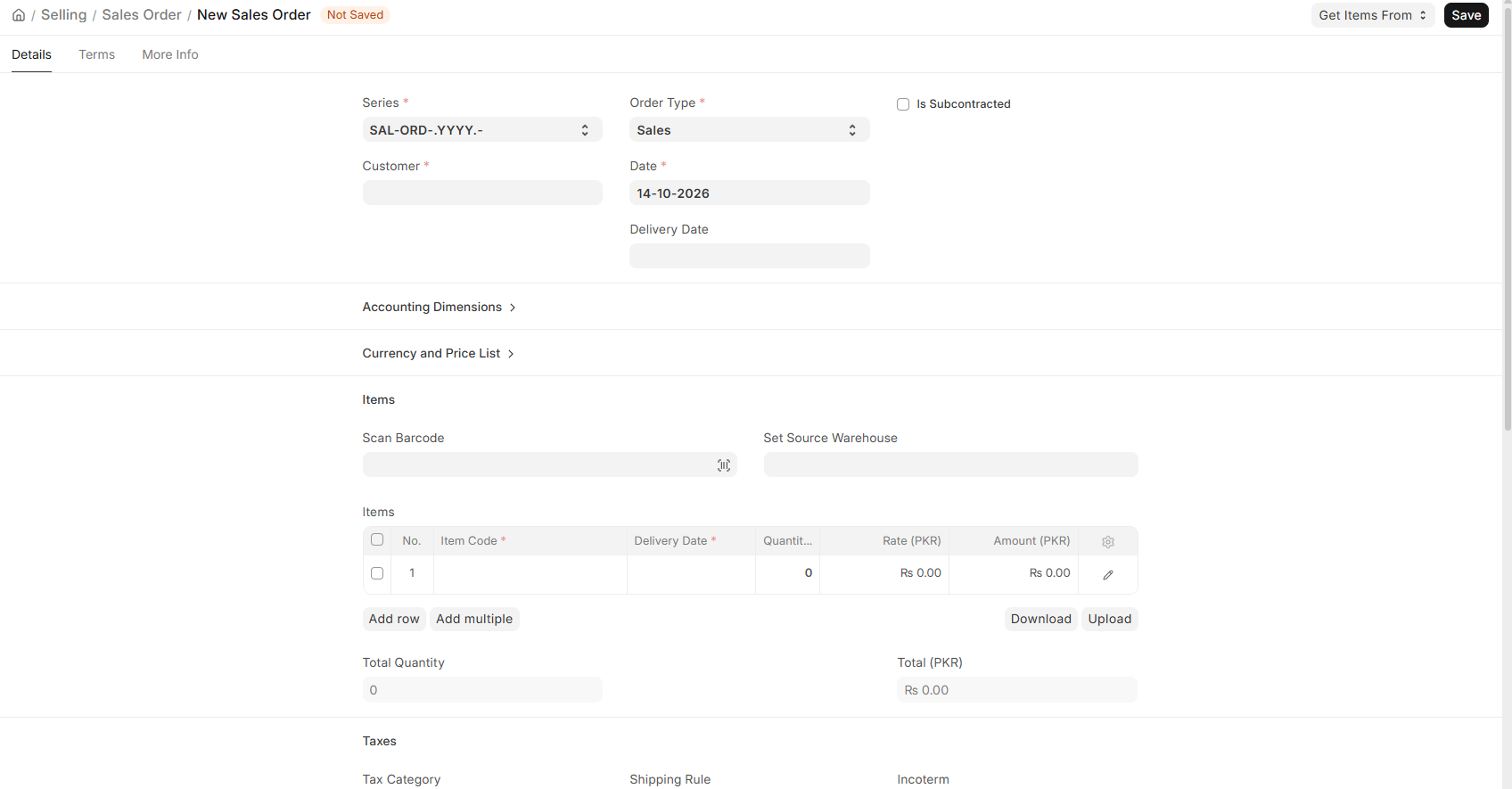
ERPNext sales orderSales

Sales Order

Sales order screen from the ERPNext implementation.

View Full Screen
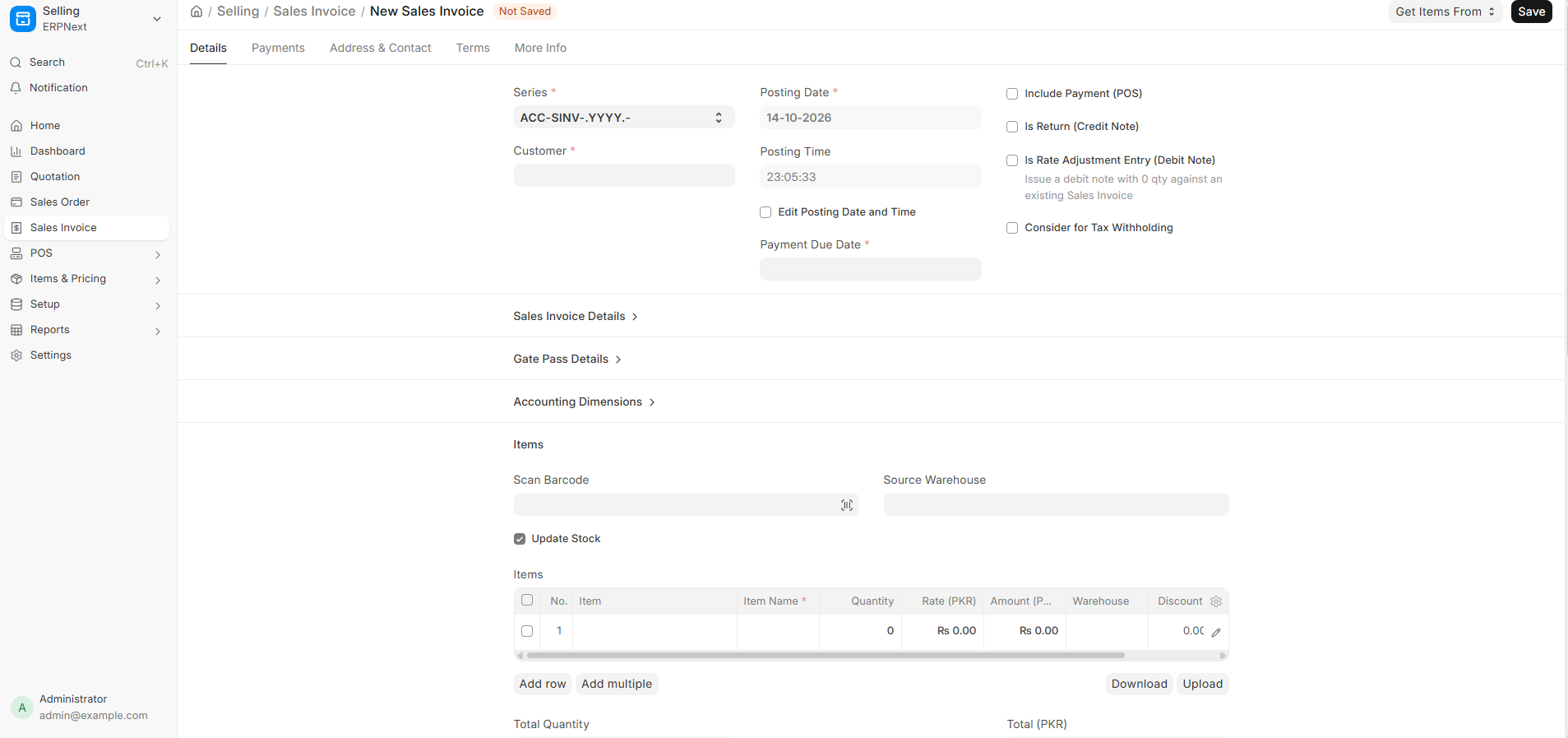
ERPNext sales invoiceSales

Sales Invoice

Sales invoice screen from the ERPNext implementation.

View Full Screen
ERPNext production moduleProduction

Production Module

Production module screen from the ERPNext implementation.

View Full Screen
// Start here

Upgrade your enterprise with ERPNext.

Schedule a 30-minute discovery session with our ERPNext certified consultants. We will audit your current workflow and outline a step-by-step roadmap.

  • Free architecture & data migration audit within 2 business days
  • Straightforward breakdown of Frappe vs. legacy ERPs
  • Ballpark timeline, module breakdown, and implementation estimate

No spam. We reply within 2 business days, always from an ERP consultant.

Request received.

An ERPNext specialist from LEADconcept will reach out within 2 business days.

Ready to Unify Your Business Operations with ERPNext?

Request a Free Consultation